

- cross-posted to:
- linux@programming.dev
- cross-posted to:
- linux@programming.dev
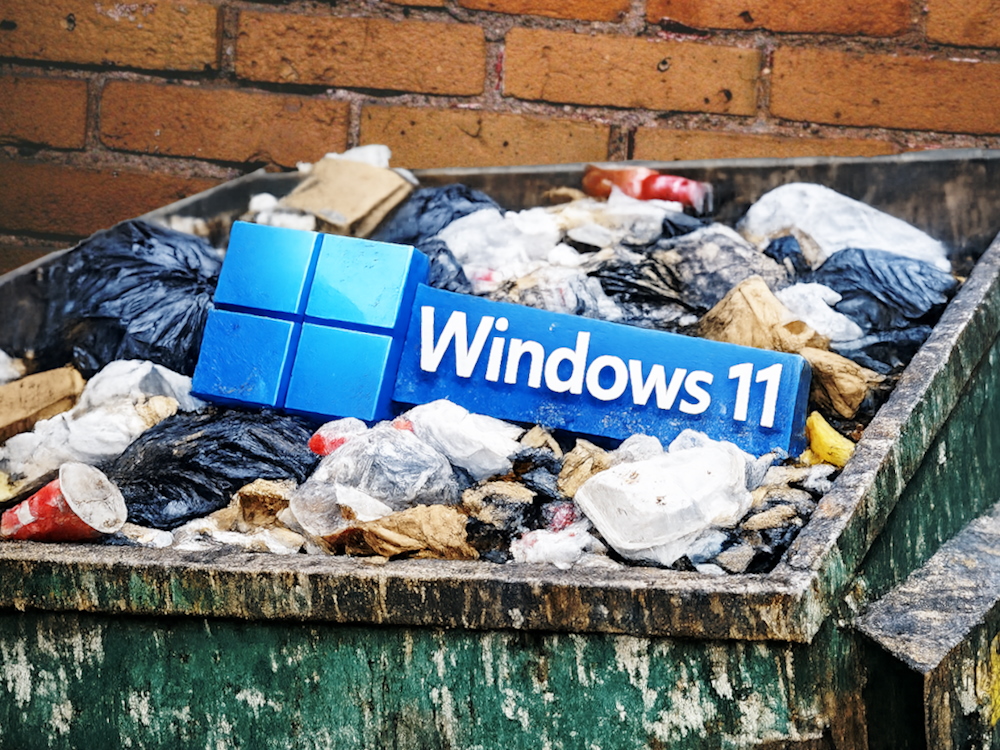
There. That’s out of the way. I recently installed Linux on my main desktop computer and work laptop, overwriting the Windows partition completely. Essentially, I deleted the primary operating system from the two computers I use the most, day in and day out, instead trusting all of my personal and work computing needs to the Open Source community. This has been a growing trend, and I hopped on the bandwagon, but for good reasons. Some of those reasons might pertain to you and convince you to finally make the jump as well. Here’s my experience.
[…]
It’s no secret that Windows 11 harvests data like a pumpkin farmer in October, and there is no easy way (and sometimes no way at all) to stop it. The operating system itself acts exactly like what was called “spyware” a decade or so ago, pulling every piece of data it can about its current user. This data includes (but is far from limited to) hardware information, specific apps and software used, usage trends, and more. With the advent of AI, Microsoft made headlines with Copilot, an artificial assistant designed to help users by capturing their data with tools like Recall.
[…]
After dealing with these issues and trying to solve them with workarounds, I dual-booted a Linux partition for a few weeks. After a Windows update (that I didn’t choose to do) wiped that partition and, consequently, the Linux installation, I decided to go whole-hog: I deleted Windows 11 and used the entire drive for Linux.
Is Linux any better for gamers these days? Not being able to use most of my software and games has always kept me back.
It seems to run most games. Kernel level anti cheat games are the exception.
I’m not even on a gaming distro. Using Linux Mint Debian Edition.
Most games will run just fine through Steam and Proton or Heroic Launcher.
I’m going to hop to something else (pikaOS) eventually, but most of my concerns with Linux seem to have been largely fixed.
How approachable is the switch for laymen? I used to be pretty big into PC building, running RedHat, etc. Then I got old and even navigating gmail makes me angry.
Depends on what you need from your computer. If it’s just web browsing and some light “office-like” tasks, it’s very easy, especially if you’ve interacted with a computer before. If you need some specialized hardware support or rely on some complicated proprietary app (looking at you Adobe), it can get complicated quickly.
In any case there will be some pain as you get accustomed to the new OS. But overall it’s not as bad as it used to be.
I use Photoshop for my side gig, but I stopped at the last version before their criminal subscription bullshit.
I’ll have to look into it.
See if you can get by with a combination of Krita and GIMP. The former especially has improved a lot lately and is now a fairly professional tool. New-ish versions of Photoshop are very difficult to run in WINE (which allows you to run some Windows apps natively - it’s the thing that powers all recent linux gaming advances). The best you can do is run it in a VM with a window passthru, like so: https://github.com/winapps-org/winapps
I’ve tried Krita and GIMP, but my brain, man . . .
I’m using PS CS5, which was released in 2010. After a quick look, it looks like it runs in Wine!
I have a wife stuck in the Adobe-verse and yeah, going back that far should work great. It didn’t become a huge hassle until they started being insane with the licensing.
Heh, that is really quite old. There might be a chance.
Disclaimer not an artist and still not jumping on Linux for reasons but going to
I’ve seen this mentioned only by a career digital artist. He mentioned using Photopea as an alternative to the adobe suite rather than Krita and GIMP.
I think it’s Michael Tunnell when he was reacting to Pewdiepie moving to linux (Mint and Arch btw) and pewds said he changed the icons and shortcuts for GIMP to be more like photoshop.
By the way, the Affinity suite works particularly good on Linux, through Wine.
Of course I wish they would release a native version, but this is acceptable in the meantime.
I tried recently. As a pure no command line user, I could do everything I wanted after some time understanding how to use lutris. As a gamer I went with nobara and it was great. Still back on windows to use my driving wheel, flightsticks and VR. For now at least as I hope with more people making the switch , drivers will work better.
It’s weird your flight sticks don’t work in Linux. I have used several (I play a lot of DCS) and they have worked out of the box for me.
I didn’t even try honestly, it was my thrustmaster wheel which wasn’t detected, good to know for the flight stick.
If you prepare an installation USB stick, so-called “Live-USB”, and select in the BIOS that it should boot from that, then you can test-drive Linux before you install it.
There is more details involved, like you may need to turn off Secure Boot in the BIOS, but yeah, point is, you don’t have to commit to Linux to try it.
Standard installations should work well for laymen. And in general, Linux user interfaces are a lot calmer, change less often, and are not attention-hogging and shock-full with dark patterns like Windows UIs.
Seeing my old parents struggling with Windows 11, I believe Linux is a lot friendlier also to elderly people, if they manage to get used to it while they can learn easily.
If you can install windows from a USB, you can do the same with LMDE. Most of the usual things just worked.
The only thing I haven’t gotten working is control over the lights on my case. I could actually tinker and get it working but I figured it was an excuse to power down my computer at night and I don’t care that much about it.
I can’t remember all the little things I tweaked over the last few months but nothing stuck out as super difficult to me.
I don’t really even notice what OS I use anymore in my daily use: exactly what I want from it.
Finding suitable software for Linux is like moving from a boring suburb which has only a road to Walmart to a lovely small village with lots of woodland and hiking paths. You will need to find and explore new ways, but you will find them, and you will enjoy them.
More concretely spoken, Debian, as an example, has over 30,000 software packages. Some are really pleasant to use, like GNOME’s simple-scan. Some are stunning beautiful, like the astronomy app named Orrery, if I remember the name correctly. You can literally spend years exploring them. Or look into the Arch Wiki list of applications for a tasteful choice.
The Steam Deck has been a lightning rod of getting gaming compatibility into the mainstream. The Proton compatibility layer works for most Steam games and the Proton DB will tell you the level of compatibility for a given game on Linux, https://www.protondb.com/ . Additionally, a number of other compatibility layers and ported front ends for GOG, Epic and various others are available and functioning (I can’t list them all as I only use Steam, but I’m all in on Fedora and have yet to find a game that won’t run). VR is working now on Linux (I have an Oculus Quest 2 I was given a couple years ago and it works flawlessly), as are most game pads. You can go with something like Bazzite which has a number of gaming specific compatibility tools built in, and it’s immutable so it’s a deliberate effort to break the thing. The only real limitations for software is anything Adobe (but there open source apps to fill that gap, GIMP is among the biggest) and
MS OfficeM365 Copilot, which you can just use the Libre Office suite or if compatibility is a concern due to macros or addins, OnlyOffice is a decent alternative.Thanks for the breakdown!
I already use Libre, but I do use Adobe CS5 for my side gig (fuck subscriptions). Nothing else I’ve tried has really worked for me.
I’ll have to look into Linux with older Photoshop versions.
Have you tried the web based photopea? Its a pretty close replica of Photoshop. Does most of what it can do. Only thing I still need Photoshop for is my photo printing workflow. Still trying to figure out how to do it and match the same quality with GIMP or dark table and cups.
I’ll check this out!
I just recently switched from Windows to Linux and for me the gaming experience has been fantastic. Games have been running way smoother. You do lose access to some games that require a kernel level anti cheat, but it’s been worth it for me. If you’re curious, you can check out the ProtonDB website to check if the games you play are Linux compatible.
I’ve been using Linux exclusively for the past few years, even VR games work fine since a while.
Some yes most are still causing issues. Might also be that my headset is wireless so there is a few extras steps involved in the experience.
Yeah getting VR working had been the only hangup for me so far. Also wireless. It will connect but its insanely laggy and compression artifacty. Worked fine on the same hardware and network with windows.
At this point I’m hoping the release of the steam frame comes with a ton of fixes for vr on Linux.
Yeah, I’m still wired, so that definitely helps.
I can’t wait for Steam Frame tho…
Tbh I just buy games and assume it works. It’s gotten that good. Really only a handful of big games like Call of Duty or Battlefield don’t support Linux and so I just ignore them on Steam.
Same. I don’t even check if a game works before buying it now. That said, I also don’t buy crap from EA, which seems to be one of the largest offenders.
Valve has put a lot of work into it, so unless you want to play hypercompetitive shooters (which ban Linux as a scapegoat for how hacker infested they are), most games will just work. Installing Steam should just set things up automagically for Steam games.
If there’s a game you’re actively curious about, you can look it up on https://www.protondb.com/ to see what other people say about how well it works.
protondb is great! you can even link your steam library to get a quick and rough overview over how well it’ll work.
Definitely not a shooter kinda guy. Thanks!
I’ve been distro hopping recently after ditching Windows about a year ago. Spent some time in mint, then fedora, and recently the ‘gaming’ distros. I have to say cachy is very nice and set up to succeed with a gui and nice welcome screen for people that don’t want to get into command line stuff. It’s really snappy and I haven’t had any issues yet. I hate to be one to jump on a bandwagon but if it works, it works. The only games that haven’t worked for me on Linux are the anti cheat ones like Madden. Good luck
I sometimes forget it used to be bad. It just works with steam
Better support for some old hardware, like scanners, even. (That’s because for some hardware vendors, OS upgrades are a means for planned obsolescence; They simply don’t provide updated drivers and your hardware becomes a doorstop so that you are invited to give them your money again.)
gamers depends most games (>90%) will generally run. kernel anti cheat games mostly wont. Nvidia based gamers might run into a few more hurdles. modding select games might prove to be slightly more challenging (mainly the ones that revolve around executables to work) but generally speaking most things in windows have an analog in linux.
Oof, I’ve got a GeForce and lean heavily into modded games. I’ll do some research.
I’ve had no trouble with any of my steam games so far. I’ve downloaded about half my library, which is an eclectic collection of games from the last 20 years or so.
Single player works flawlessly 99% of the time. Competitive multiplayer shooters can be a bit iffy.
You’ve got a bunch of answers already, but I haven’t seen explicit mention that SteamDeck is Linux, so beside ProtonDB, you can also check your favorite game on Steam.
My experience has been that a “SteamDeck Verified” or “SteamDeck Playable” badge means the game runs well on my Linux PC as well.
It’s not terribly interesting anymore. I notice two categories of games that don’t trivially run on Linux:
And there’s the standard cutting edge game disclaimer: Linux isn’t magic. I find games with specific high-end requirements that are still difficult to run on Windows or Mac are usually only slightly easier to run on Linux.